
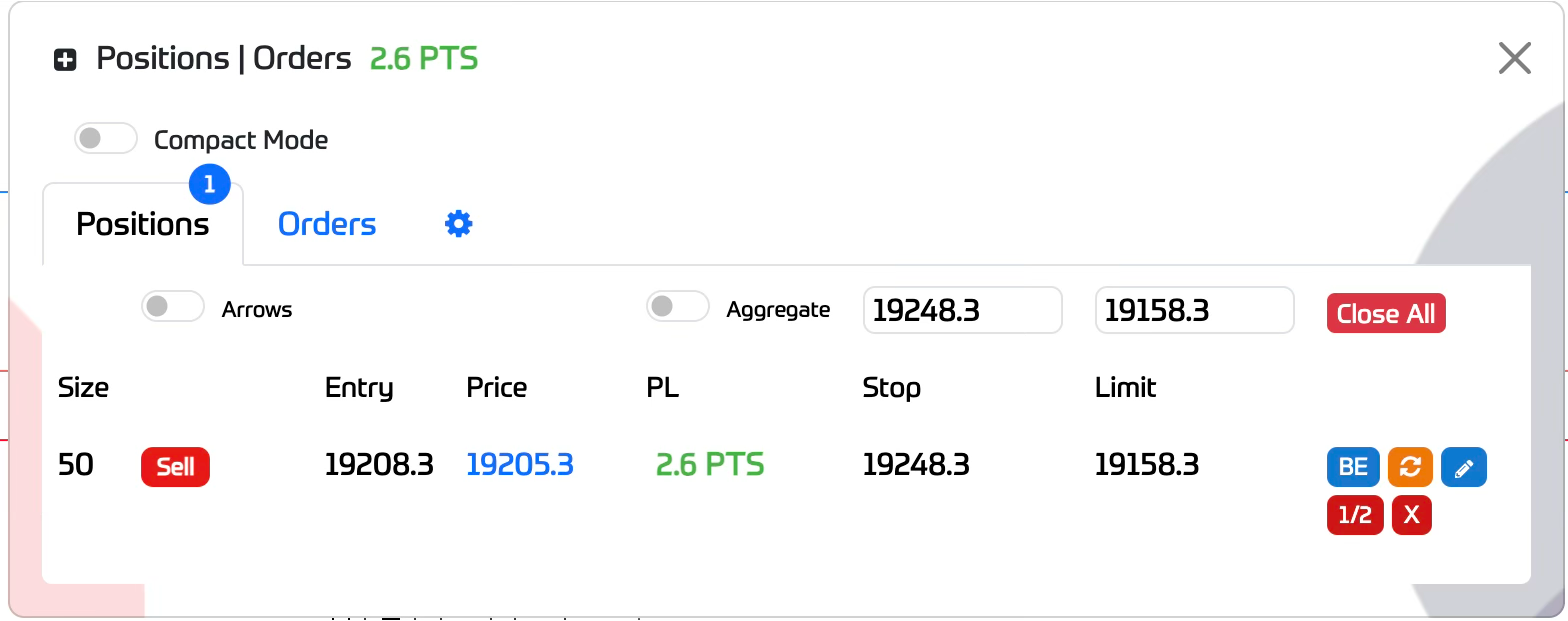
This window shows your current positions and orders list, showing your position and order attributes
The position tab also includes these options:
Compact Mode - Show basic position attributes only
Arrows Toggle - Show your position entry price/time on the chart represented as an arrow
Aggregate Toggle - If you have multiple positions, this toggle allows you to only see one aggregated position line as the average entry price
Multi Stop / Limit settings input - Allows you to set Stop and Limit prices for multiple positions simultaneously by entering the price and hitting the enter key
Close All Button - Close All positions at once (your closing price for each position may differ if the current market is volatile)
With each position, 5 buttons are available:
BE button - Set your stop price to breakeven It does require that your current profit/points are at least the minimum distance required depending on the market you are trading
Reverse Button - Reverses position direction with same size (SL and TP are not set)
Modify button - toggles a window where you can edit your Stop and Limit settings by points
1/2 Button - Closes half size of the position
X Button - Closes the position in full
The orders tab lists your current open orders including these options:
Delete All button - Delete all pending orders
Edit Button - toggles a window where you can edit your Stop and Limit settings by points
X Button - Deletes an order
The orders tab lists your current open orders including these options:
Delete All button - Delete all pending orders
Edit Button - toggles a window where you can edit your Stop and Limit settings by points
X Button - Deletes an order
The settings tab allows you to set the following options:
Optimise Close All - (Disabled until further notice)
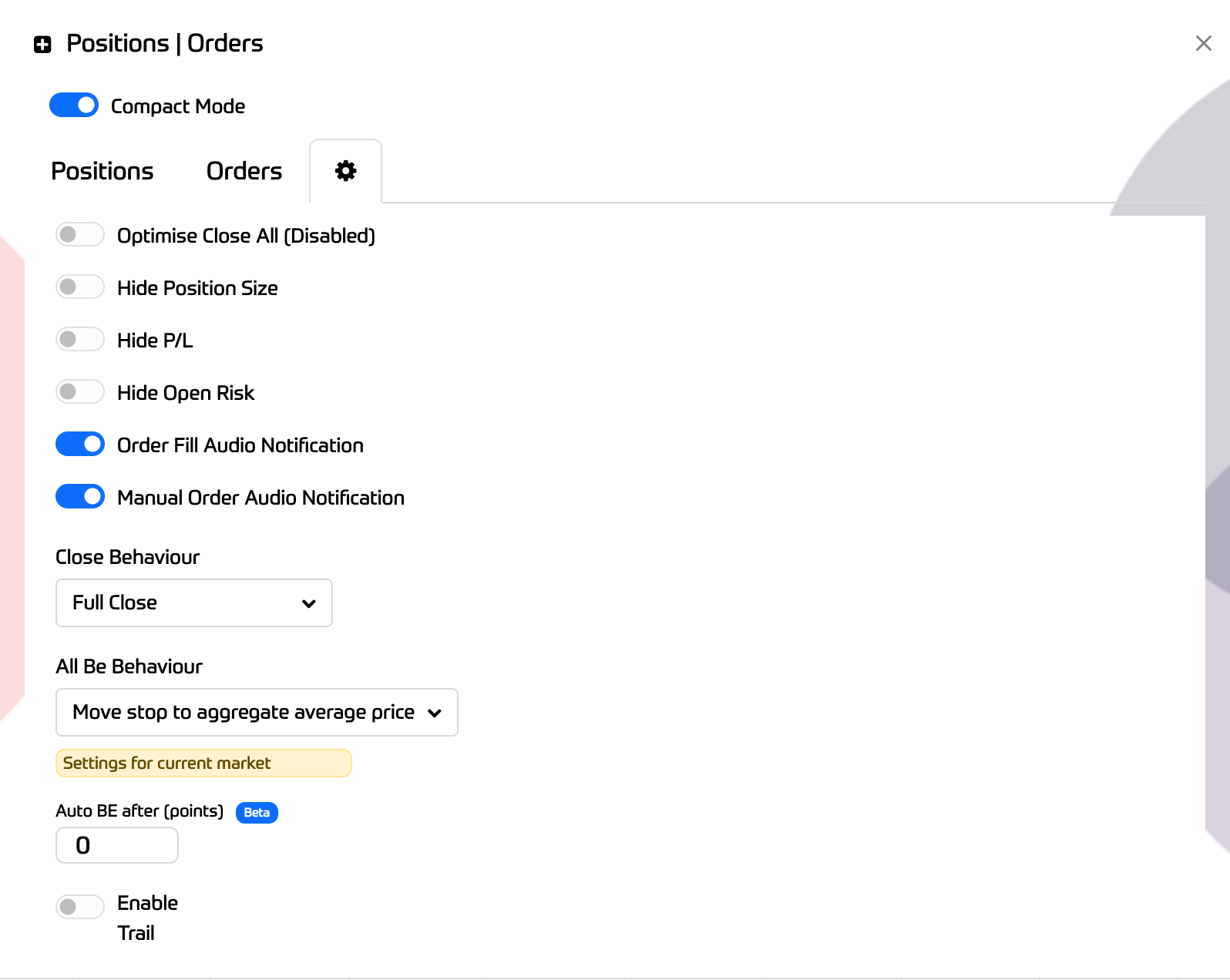
Hide P/L - Hides P/L display on UI
Hide Open Risk - Hide open risk information from summary footer
Order Fill Audio Notification - Emits an “Order filled” audio notification when an order is filled
Manual Order Audio Notification- Emits an audio notification when an you place manual orders
Close Behaviour - Changes the behaviour of the "x" close button on positions modal and position lines - defaults to "Full"
All Be Behaviour - changes how clicking "All Be" behaves - it will either move stop to average entry price or the entry price of each position
Auto BE - Sets your stop to breakeven after X points in profit.
Enable Trail - AKA “Profit Trail” BETA - Once in profit by points setting, the software will move your stop to breakeven and will attempt to trail it at points setting distance from current price, maximising your profit